Aircraft Model Information
Aircraft in Horizon are comprised of two primary areas. Both are necessary for proper metrics within the various Horizon modules.
Aircraft and Aircraft Model
The Aircraft Model information page contains:
Model, Logbook, Crew Currency, and Feasibility information
Model Variants
Aircraft and Aircraft Model
The Aircraft Model information page contains:
Model, Logbook, Crew Currency, and Feasibility information
Model Variants
Specifications
Images
Notes
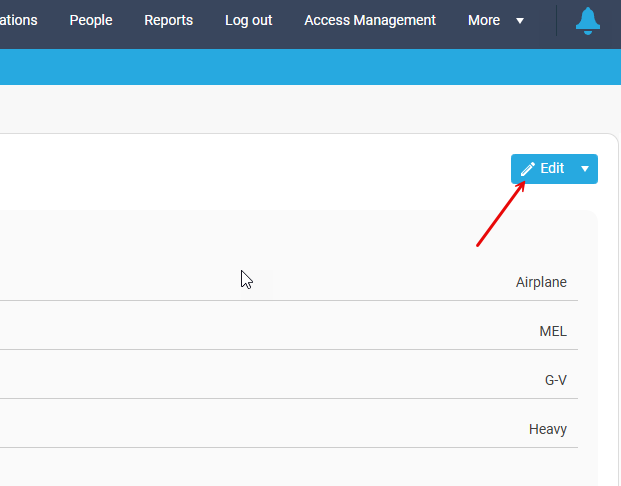
Click "Edit" at the top right of your screen. This make the fields editable by the user.
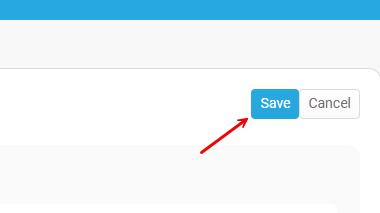
**Be sure to click "Save" when your done, or you risk losing your work.**
Notes
Click "Edit" at the top right of your screen. This make the fields editable by the user.
**Be sure to click "Save" when your done, or you risk losing your work.**
Model, Logbook, Crew Currency, and Feasibility. Also includes Groups and Model Variants.
Model:
*minimum necessary information
Model Name*: Text based description of the aircraft. This field is used to describe aircraft in longform in various areas including quoting. Typically found in client facing documents, quotes, etc..
Model ID*: Alphanumeric identifier, usually prescribed or associated with an airframe by the manufacturer.
ICAO ID: ICAO Aircraft Type Designator
FAA ID: Type assigned by the FAA
ICAO ID: ICAO Aircraft Type Designator
FAA ID: Type assigned by the FAA
OEM*: Aircraft manufacturer. Cessna, Boeing, Bombardier, etc..
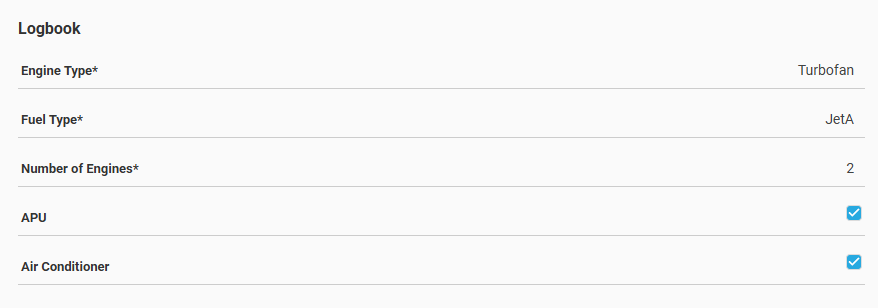
Logbook:
*minimum necessary information
Engine Type*: Selections include Turbofan, Turbojet, Turboprop, Turboshaft, Piston.
Fuel Type*: Selections include JetA, JetB, AvGas.
Number of Engines*: Free # field to enter the airframes' appropriate engine count.
APU: Checkbox to indicate the presence of an APU in the airframe.
Air Conditioner: Checkbox to indicate the presence of an Air Conditioning system within the airframe.
Fuel Type*: Selections include JetA, JetB, AvGas.
Number of Engines*: Free # field to enter the airframes' appropriate engine count.
APU: Checkbox to indicate the presence of an APU in the airframe.
Air Conditioner: Checkbox to indicate the presence of an Air Conditioning system within the airframe.
Crew Currency
*minimum necessary information
Ac Category*: Select Airplane or Rotocraft
Ac Class*: Designate SEL, MEL, SES, MES, ROTO, or MET.
Ac Type Rating: Designate the FAA type rating associate with the airframe. *This is an important step toward crew training and qualifications.
Ac Size*: Selections include Piston thru airliner. Select the appropriate size category of aircraft being added.
Feasibility
Ac Size*: Selections include Piston thru airliner. Select the appropriate size category of aircraft being added.
Feasibility
Wheel Type: Selections include single thru quadruple. Choose the appropriate wheel configuration for the aircraft being added.
Stage: 0-4. Choose the appropriate stage for the aircraft being added.
Fire category: Cat 1-10. Choose the appropriate fire category if applicable.
Approach Category: A-E is available. Choose the appropriate approach if applicable.
Groups
*If no groups are selected for a specific aircraft model, the Groups section is hidden from view. It can be added by clicking edit.
This is referring to different Groups that are set up in System Configuration, Groups.
This selection only allows Groups names that have been set up in the system configuration.
System Configuration: Groups
This is the beginning of a system of labels and tags within Horizon.
Model Variants
Model Variants are custom architecture differences that can exist within a model category. **These are NOT crew training differences that can be tracked**
To add a variant:
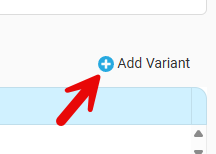
Click Add Variant in the upper right of the Model Variant area
Add a variant ID and Name. This can be custom to your operation
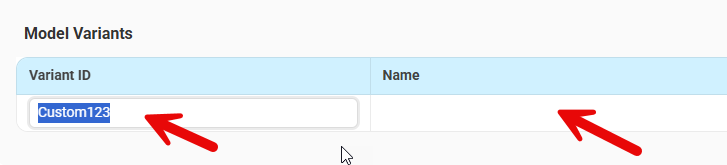
Click Add Variant in the upper right of the Model Variant area
Add a variant ID and Name. This can be custom to your operation
Once complete, press enter. A settings icon now appears, click the settings icon
Now specifications window opens, allow a user to input what is different about this model. The only information that is required in this variant specs window are the specs that make this variant different than the generic model of the airframe. 9 seats instead of 8, shorter takeoff #'s, shorter max range, etc.
If there is no update in the variant spec, Horizon will use the generic model info for that metric.
Specifications
Within the "normal" Specifications window, this will apply to the aircraft model the user is currently in. Users must click "Edit" to make changes in this area.
Within the "normal" Specifications window, this will apply to the aircraft model the user is currently in. Users must click "Edit" to make changes in this area.
Each Specifications windows contains areas that contain:
Feasibility: Various data point can be added here. These metrics pertain to filtering airports within itinerary maps as well as Alert generation within Trips.
Feasibility: Various data point can be added here. These metrics pertain to filtering airports within itinerary maps as well as Alert generation within Trips.
Weights: These points pertain to weight and balance
Cabin: Various metrics around cabin architecture
Cabin: Various metrics around cabin architecture
Times: These times add default minutes into an itinerary when building a trip
Fuelburn (lbs/hr): These #'s aid Horizon in computational results in logs
Ac and Crew Log: This area allows for the addition of various measures and equipment for be added for logging into the flight log.
Performance and Payload Based Endurance: These performance #'s allow Horizon to give more accurate ETE, ETA, etc. Users can also add payload based endurance in this area.
Ac and Crew Log: This area allows for the addition of various measures and equipment for be added for logging into the flight log.
Performance and Payload Based Endurance: These performance #'s allow Horizon to give more accurate ETE, ETA, etc. Users can also add payload based endurance in this area.
Related Articles
Quick Guide: Creating a Trip from the Aircraft Schedule
This guide outlines the steps to create a new trip directly from the Aircraft Schedule. 1. Initiate New Trip: Left-click on the column representing the day you wish to schedule the trip. Locate the "New Trip" section. (Note: If the "New Trip" section ...Calendar - Aircraft
Accessing the Calendar – Aircraft View From the Horizon home menu, navigate to the top navigation bar. Select Calendar from the main menu. Hover over or click the dropdown arrow next to Calendar to display the available view options. Select Aircraft ...Aircraft Management
This section outlines the tools and functionality available for managing your aircraft fleet in Horizon. ✈️ 1. Accessing Aircraft Profiles There are a few ways to access Aircraft Profiles. From the Schedule or Calendar view, click on an aircraft name ...Quick Guide: Contact Information
Contacts The Contact information area is present within the Services, Aircraft, People, and Organizations modules within Horizon. This feature is designed to allow users to input and save various contact information types within a record. Adding a ...Calendar Menu - Aircraft & Crew
Overview The Aircraft & Crew calendar view combines two essential perspectives: Aircraft Activity: Displays flight legs, trips, and positioning events for each aircraft. Crew Assignments: Shows the corresponding flight crew and duty events aligned ...